

By Dylan Banks
State Farm agent IT infrastructure is the full setup that keeps your office connected, secure, and manageable. It includes your internet connection, router, firewall, Wi-Fi, device separation, updates, and remote support. If that foundation is weak, everything built on top of it is harder to protect.
You are transitioning your State Farm agency to independent internet.
It feels like a simple task.
You call a local ISP, they drop off a box, and you plug it in.
But that "box" is a liability.
A standard consumer router is built for streaming movies and browsing social media.
It is not built to protect an insurance agency handling sensitive PII (Personally Identifiable Information).
As an agent, you aren't just looking for a signal.
You are looking for compliance, security, and the ability to pass a cyber insurance audit.
Why does State Farm agent IT infrastructure start with the router?
Because the router controls how traffic enters, leaves, and moves through your office. If that device is consumer-grade, the rest of your network starts from a weak point.
Most agencies do not fail on internet speed alone.
They fail on setup, visibility, and control.
The wrong router creates blind spots.
It also creates extra work you should not have to do.
Your network has to support more than email and web browsing.
It has to support workstations, phones, guest Wi-Fi, cameras, printers, and business applications.
That is why your network foundation matters.
Why is a standard router not enough for an insurance agency?
Because a home router is designed for convenience, not for business security, segmentation, or ongoing management.
By 2026, cyber insurance carriers have stopped using simple "yes/no" checklists.
They now perform technical underwriting.
They want proof of an enterprise-grade security posture.
If your agency relies on a basic router from a big-box store, you are at risk.
Carriers are looking for alignment with the NIST Cybersecurity Framework and state-mandated laws like the NAIC Insurance Data Security Model Law (#668).
Standard routers cannot provide the logging, segmentation, or threat detection required to satisfy these standards.
Using Agent Choice Internet means your infrastructure is built for compliance from day one.
We don't just "set up Wi-Fi."
We deploy commercial-grade hardware that meets the rigorous demands of modern insurance underwriting.
A consumer router usually gives you only the basics.
You get internet access.
You might get basic Wi-Fi controls.
You usually do not get meaningful visibility, policy control, or professional lifecycle management.
That gap matters when you are asked how your office is secured.
It matters when a device starts misbehaving.
It matters when you need to prove your network is built for business use.
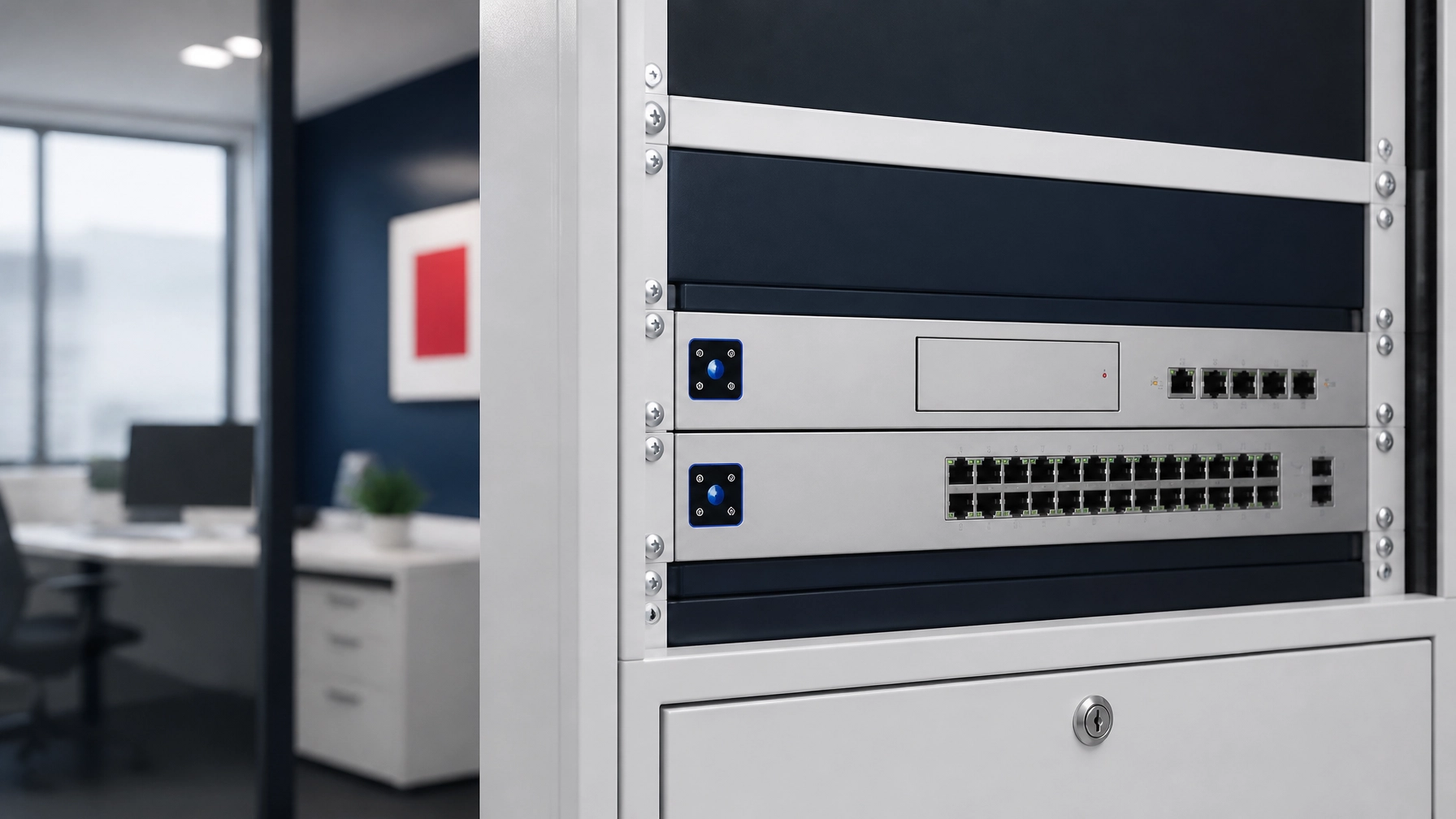
What is the hidden risk of consumer-grade hardware?
The hidden risk is that everything shares the same environment, with little control over who can talk to what.
Most agents don't realize that a home router is a "black box."
You have no visibility into who is on your network or what data is leaving it.
A standard router treats your guest Wi-Fi, your security cameras, and your agency workstations as the same.
This is a major security flaw.
If a guest's phone has malware, it can jump to your main computers.
If a cheap smart camera is hacked, your entire client database is exposed.
CISA specifically recommends segmentation as a way to limit attacker movement and reduce risk in network environments. See CISA's guidance on Securing Network Infrastructure Devices. That matters here because an insurance office should not run guest devices, staff systems, and connected equipment on one flat network.
Managed networks solve this through segmentation:
- VLANs: We separate your staff computers from your guest Wi-Fi and IoT devices.
- Firewalls: We block malicious traffic before it ever hits your desks.
- Threat Detection: Our systems actively scan for intrusion attempts 24/7.
- Hardware Updates: We handle the firmware patches that keep your hardware safe from new exploits.
That is the difference between internet access and real agency network management.
One gets you online.
The other helps keep your office secure and supportable.
What should State Farm agent IT infrastructure include?
It should include managed internet, commercial-grade hardware, segmented Wi-Fi, firewall protection, remote monitoring, and ongoing updates.
Your office network should be built like business infrastructure, not a temporary workaround.
That means every part has a job and every part is maintained.
A strong setup usually includes:
- A business-ready gateway and firewall
- Separate networks for staff, guests, and smart devices
- Managed Wi-Fi access points
- Secure remote administration
- Ongoing firmware and security updates
- Monitoring for outages and suspicious activity
- Support when something fails
If you want a simple overview of how that process works, review our managed setup process. If you want to compare service options, see our agency internet and network solutions.

Why does done-for-you network management matter?
Because you did not open an agency to troubleshoot routers, call ISPs, or chase firmware updates.
You didn't become an insurance agent to be an IT manager.
The mental load of managing routers, updating software, and troubleshooting connectivity is a waste of your time.
At Agent Choice Internet, we take the entire burden off your plate.
Our service is truly white-glove.
We research the best ISPs in your area, handle the installation of commercial-grade hardware, and manage it forever.
If there is a security threat, we see it.
If there is a hardware update, we push it.
You don't have to think about your network because we are already thinking about it for you.
That removes the biggest problem most agents face.
Not the internet bill.
Not the install date.
The ongoing burden.
When something is unmanaged, you own every surprise.
When it is fully managed, we handle it.
That means fewer decisions, less downtime, and no guessing.
How does this affect cost and the State Farm stipend?
It affects cost in a practical way: you get business-grade infrastructure without buying and replacing everything yourself.
Most State Farm agents pay less than $20 a month out of pocket for our managed service.
By using your stipend effectively, you get a multi-thousand dollar network for a transparent, low monthly fee.
There are no surprises.
There are no "messy cable" server rooms.
Everything is clean, professional, and managed remotely.
That financial structure matters.
You avoid large upfront hardware purchases.
You avoid random replacement costs.
You avoid paying one vendor for install and another for support.
You can review the numbers on our pricing page for managed internet and network support.

When should you upgrade your office network?
You should upgrade before a problem forces the decision, not after an outage, failed audit, or support mess.
A standard router is a gamble.
A managed network is a business decision.
Don't wait for a failed cyber insurance audit or a data breach to realize your infrastructure isn't up to par.
We make your agency's internet plug-and-play.
We handle the tech. You handle the clients.
If you are ready to stop piecing this together yourself, get started with a managed agency setup. You can also explore our solutions to see how we protect your office.
What do agents usually ask before upgrading?
These are the most common questions we hear from agencies moving to self-managed internet.
Can I just use the router the ISP provides?
You can, but it is not recommended. ISP-provided routers are often limited and lack the advanced firewall and segmentation features needed for insurance office security.
Does Agent Choice Internet monitor my data?
No. We monitor the health and security of the network hardware so the system stays updated, online, and protected from external threats.
What happens if the hardware breaks?
All equipment is leased and maintained by us. If hardware fails, we replace it without surprise upgrade or repair costs.
How does this help with cyber insurance requirements?
It gives your office stronger technical controls, including managed firewall protection, segmented Wi-Fi, and ongoing monitoring that support a more defensible security posture.
What if I have one office now but may add another later?
A managed, commercial-grade setup is easier to extend across multiple locations than a patchwork of consumer equipment, which helps you stay consistent as your agency grows.

Ready to secure your agency? Get started today.
Are you a State Farm agent navigating this transition? Agent Choice Internet handles your entire internet setup — ISP research, commercial UniFi hardware, installation, and remote management — sized to fit SF’s $200/mo stipend. See coverage by state →
Related reading: State Farm Agent Contract Changes, Explained: What’s Changing, What’s Slowed, and What’s Not Moving and Looking for Backup Internet? 5 Things Every State Farm Agent Should Know About 5G Failover.