Do I Really Need a Managed Network for a 1–3 Person Insurance Office?
By Dylan Banks

A 1–3 person insurance office needs a managed network because it replaces the hidden time-sink of IT troubleshooting with a professional, secure environment that works every single day. While a home-grade router might connect you to the internet, it cannot provide the security, uptime, or remote support required to run a high-volume insurance agency without interruption.
Managed internet is more than just a connection; it is a "done-for-you" infrastructure. For a small team, every minute spent fixing a printer or resetting a router is a minute taken away from selling policies. By moving to a managed service, you ensure that your office network is handled by experts who monitor your connection, update your hardware, and keep your data safe.
Is a managed network overkill for a very small office?
No, because a professional managed network eliminates the single greatest threat to a small agency: downtime. Even in a one-person office, a lost morning of internet connectivity can result in missed leads and delayed service that damages your reputation.
Many agents believe that small offices can "get by" with consumer hardware. However, the true cost of a network is not the price of the router, but the cost of the time you spend managing it. how managed IT compares with a DIY setup turn your office technology into a utility that just works, allowing you to focus entirely on your clients.
Can I just use a consumer router from a big-box store?
You can use consumer hardware, but it places the entire burden of security, updates, and troubleshooting on your shoulders. Consumer devices are designed for home use where a 15-minute outage is an inconvenience, whereas in a SF office, it is an operational failure.
DIY setups require you to be your own IT manager. You are responsible for:
- Manually updating firmware to protect against new threats.
- Troubleshooting why the WiFi is slow in the back office.
- Figuring out why the printer stopped talking to the network.
- Managing your own backup internet if the primary line goes down.
What are the security risks of a DIY network for insurance agents?
The primary risk of a DIY network is the lack of proactive monitoring and professional-grade security configurations that protect sensitive client data. According to the Cybersecurity & Infrastructure Security Agency (CISA), small businesses are high-value targets for attackers, and maintaining robust security measures like MFA and continuous monitoring is critical for protection.
A managed network provides a "hardened" environment. While a DIY router might have default settings that are easy to exploit, a managed service like ACI ensures that your firewall is correctly configured and your hardware is always up to date with the latest security patches. This level of protection is essential when you are handling the private information of hundreds of families.
How does the SF stipend work for a 1–3 person office?
SF provides a $200 per month stipend that is designed to be largely offset by the cost of professional managed internet services. This stipend is one per office, paid to the primary agent, and it begins only after SF removes its corporate office equipment from your location.
For most 1–3 person offices, the total monthly cost for managed service typically totals about $189–$209 including their Internet Service Provider (ISP) costs. This means many agents pay less than $10 per month out of pocket after applying the stipend. It is a pragmatic, cost-effective way to get commercial-grade infrastructure without a heavy financial burden. You can when a small business actually needs managed IT to understand the full transition process.
Managed Network vs. DIY Comparison
| Feature | DIY / Big-Box Hardware | ACI Managed Network |
|---|---|---|
| Setup & Install | You do it yourself | Professional, white-glove installation |
| Ongoing Maintenance | You handle all updates/fixes | 100% managed and monitored by ACI |
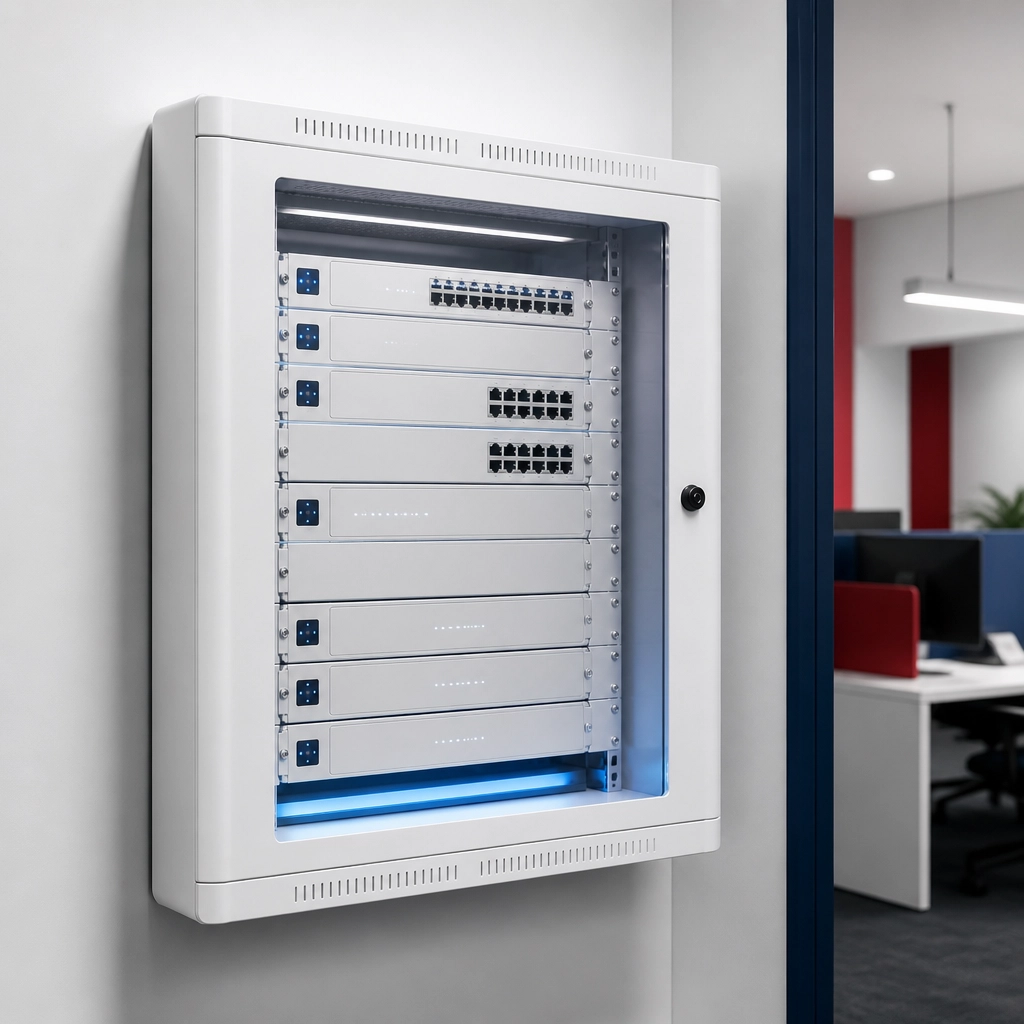
| Hardware | Consumer-grade plastic | Commercial-grade UniFi hardware |
| Security | Basic, manual updates | Enterprise-grade, proactive monitoring |
| Support | Call the ISP or Google it | Direct, expert remote support |
| Backup Internet | Usually none | 5G cellular failover available |
| Total Out of Pocket | Varies (Hardware + ISP) | Often under $10/mo after stipend |
Does my office size change the hardware I need?
Yes, even a small office needs commercial-grade hardware to support modern tools like AVS, video conferencing, and shared printers. SF's own guidance suggests that agents should consider adding a backup internet connection and a UPS for outages, features that are standard in our managed packages.
In a 1–3 person office, you might not have a dedicated server room, but you still need high-performance WiFi that reaches every corner. We use sleek, minimalist UniFi gear that looks professional and performs reliably. All equipment is leased and maintained by us, so if a device fails, we replace it at no surprise cost to you. Check out our pricing page to see the simple, transparent options available.

When is DIY actually enough for an insurance office?
A DIY setup may be sufficient if you are a solo agent working from a home office with no staff, no shared office equipment, and very low transaction volume. In these cases, the risk of a brief outage is lower, and the complexity of the network is minimal.
However, as soon as you have a physical office location and even one staff member, the complexity increases. You now need to manage multiple connections, secure several workstations, and ensure that your guest WiFi is isolated from your business data. At this point, the "savings" of a DIY setup are quickly eaten up by the time you spend playing IT manager instead of Agency Owner.
What most agents end up doing.
The majority of successful agents realize that their time is their most valuable asset. They choose to outsource their network management to a partner who understands the specific needs of a SF office. They want to walk in on Monday morning knowing the phones will ring, the printers will work, and the internet will be fast.
If you are ready to remove the IT burden from your plate and maximize your SF stipend, the process is simple. We handle the research, the hardware, and the ongoing management forever. You can find your state's options to see if we are currently serving your area and get a custom quote for your office.
Agent Choice Internet is a service of FollowThrough Works LLC and is not affiliated with, endorsed by, or sponsored by SF.

Ready to simplify your office technology?
Stop worrying about your router and start focusing on your growth. Get started today and let us build the reliable infrastructure your agency deserves.
Do I have to pay for the hardware upfront?
No, all commercial-grade equipment is provided as part of your managed service lease, meaning there are no large capital outlays for hardware.
Will my office printer still work?
SF’s guidance specifies that only the 5700 and M507X LAN/shared printers are compatible with the new transition; our network supports these seamlessly.
What happens if the internet goes out?
We provide 5G cellular failover and battery backup options to meet SF’s guidance for office reliability during outages.
Is the $200 stipend guaranteed forever?
SF is currently evaluating the duration of the stipend, so it is not a permanent guarantee; our plans from $109/mo are designed to be sustainable regardless.
Do you manage my SF phone service?
No, we provide the office network infrastructure; your phone service is handled via SF Agent Voice Services (AVS).
Related reading: Do You Really Need a Managed Internet Service?.